
Understanding Your Subscription Status
The Billing page allows you to review your current subscription plan, trial status, and feature usage.
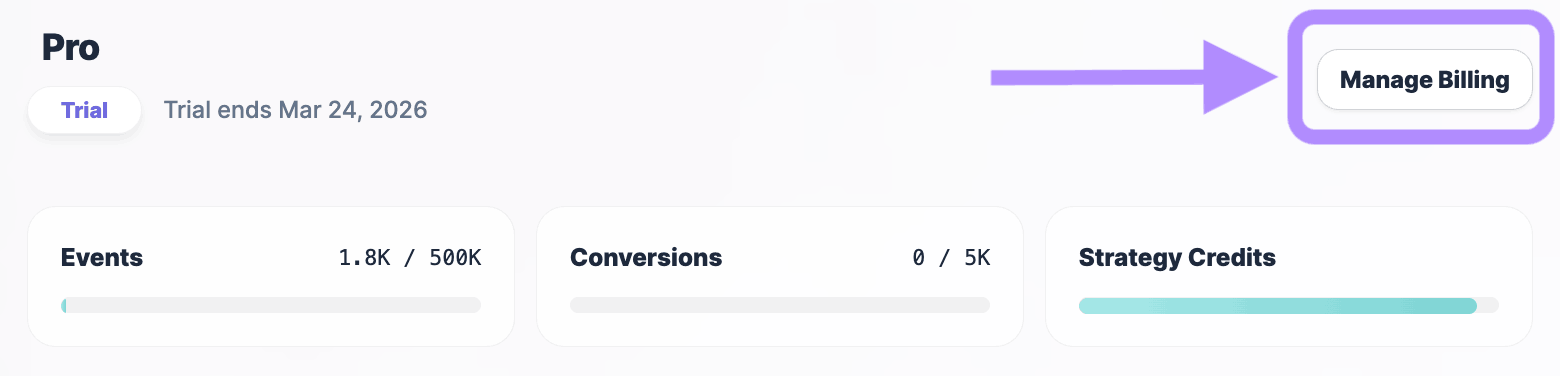
At the top of the page, you can see:
- your active plan
- whether you are in trial or paid mode
- the trial expiration date
- access to the external billing portal
To manage your subscription details:
- Navigate to Settings → Billing.
- Click Manage Billing to open the secure payment management interface on Stripe.
- Update payment methods, invoices, or plan changes directly in that portal.
Your billing configuration applies to the entire workspace.
Monitoring Usage Limits
Below the subscription summary, OneLence displays real-time usage indicators for key operational resources.
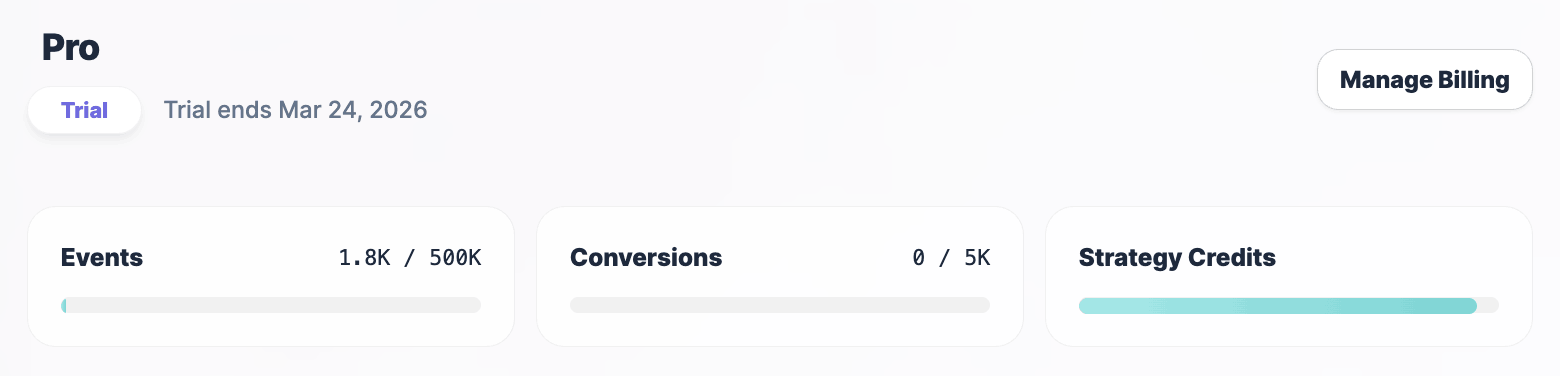
These typically include:
- Tracking events usage
- Conversion events usage
- Strategy credit consumption
These indicators help you understand how actively your workspace is generating signals and strategic outputs.
High usage is not necessarily a problem. It often reflects strong marketing activity and richer signal environments.
However, approaching limits may indicate the need to:
- optimise tracking scope
- upgrade plan capacity
- or adjust campaign intensity
Usage resets follow the billing cycle of your subscription.
Comparing Available Plans
The lower section of the page shows the available subscription tiers and their capabilities.
Each plan defines:
- the number of websites that can be tracked
- the number of team seats
- event tracking volume limits
- conversion processing capacity
- access level to analytical intelligence features
To change your plan:
- Review the plan comparison table.
- Click Select Plan on the desired tier.
- Confirm the change through the billing portal.
Plan upgrades take effect immediately. Downgrades typically apply from the next billing cycle.
Recommended Usage Behaviour
To maintain stable signal quality and decision reliability:
- review billing usage periodically rather than daily
- upgrade capacity when signal environments become consistently dense
- avoid reducing limits during active campaign cycles
- align plan selection with your expected marketing experimentation rhythm
The Billing page helps you ensure that operational capacity supports your intended growth strategy.