
The Overview tab gives you a quick health check of your current consent setup.
It is designed to help you see what is ready, what still needs attention, and what the next setup step should be.
Status Cards
There are 4 status cards on the Overview page:
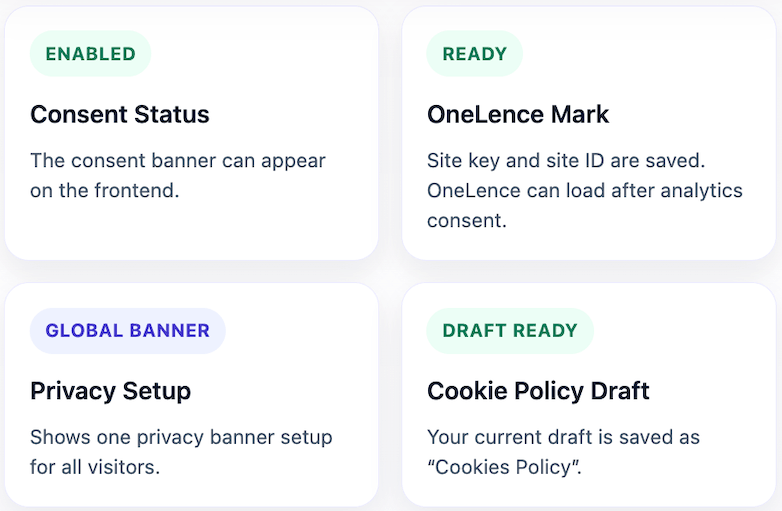
- Consent Status
- OneLence Mark
- Privacy Setup
- Cookie Policy Draft
What Each Status Card Means
Consent Status
This card tells you whether the plugin is currently active on the frontend.
- Enabled means the consent banner can appear on your website.
- Disabled means the plugin is installed, but the banner is not currently running on the frontend.
If this card is disabled, users will not see the banner until you turn on Enable plugin in the OneLence Setup tab.
OneLence Mark
This card tells you whether OneLence Mark is connected and how it is being handled.
Possible statuses are:
- Ready: the service is enabled, managed by the plugin, and both the site key and site ID have been saved.
- Needs setup: OneLence Mark is enabled and plugin-managed, but the site key and site ID are still missing.
- Manual management: OneLence Mark is not being loaded by this plugin. If you still use it, you are expected to manage it outside OneLence Consent.
- Turned off: OneLence Mark is currently disabled.
This status is only about OneLence Mark. The cookie banner itself can still work even if Mark is turned off.
Privacy Setup
This card shows whether your site is using:
- Global banner: the same banner behavior for everyone
- Region-specific: different behavior depending on detected visitor region
If region-specific mode is active, the card also summarizes:
- which regional mode you selected, Strict or Standard
- which detection source is being used
Cookie Policy Draft
This card tells you whether a cookie policy draft page has been created.
- Draft ready means a draft page already exists in WordPress
- Not created yet means you still need to save your Cookie Page settings and create the first draft
The Message Below the Status Cards
Below the cards, there is a summary message under Current setup.

This message acts like a next-step recommendation:
- If the plugin is off, it will tell you to enable it first.
- If the cookie page draft is missing, it will tell you to create it.
- If OneLence Mark is incomplete, it will point that out.
- If the main setup is complete, it will confirm that the important parts are in place.
This section is meant to help users understand the most important next action without needing to inspect every tab manually.
Consent Activity Chart
The chart on the Overview page is a short summary of how visitors interact with the consent banner.
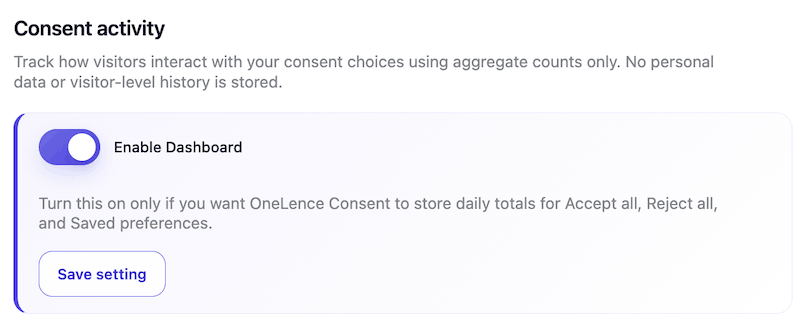
It tracks aggregate totals only:
- Accept all
- Reject all
- Saved preferences
You can switch between:
- Today
- 7 days
- 30 days
And you can view the data as:
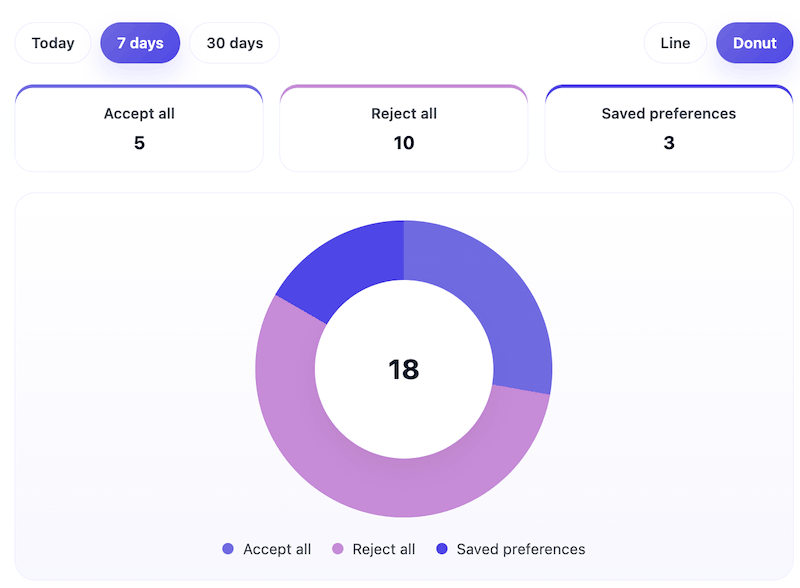
- Donut chart
- Line chart
Important note:
- This stores aggregate daily totals only.
- It does not store personal data or visitor-level history.
- This dashboard is a premium feature and must be enabled before data starts collecting.