
What the Mark SDK Does
The Mark SDK connects your website or product to your OneLence workspace.
After installation, it automatically begins capturing base tracking, like:
- page view activity
- visitor sessions and identity signals
- marketing attribution parameters (such as campaign sources)
This tracking enables OneLence to build decision-ready growth intelligence.
More advanced tracking, including button clicks, sign-ups, purchases, and other custom conversion events, can be configured later once base tracking is verified.
You can read the instruction Advanced Tracking Configuration to learn how to implement these signals.
SDK Setup Approaches
OneLence supports two primary activation approaches:
Website builder setup (Script Snippet)
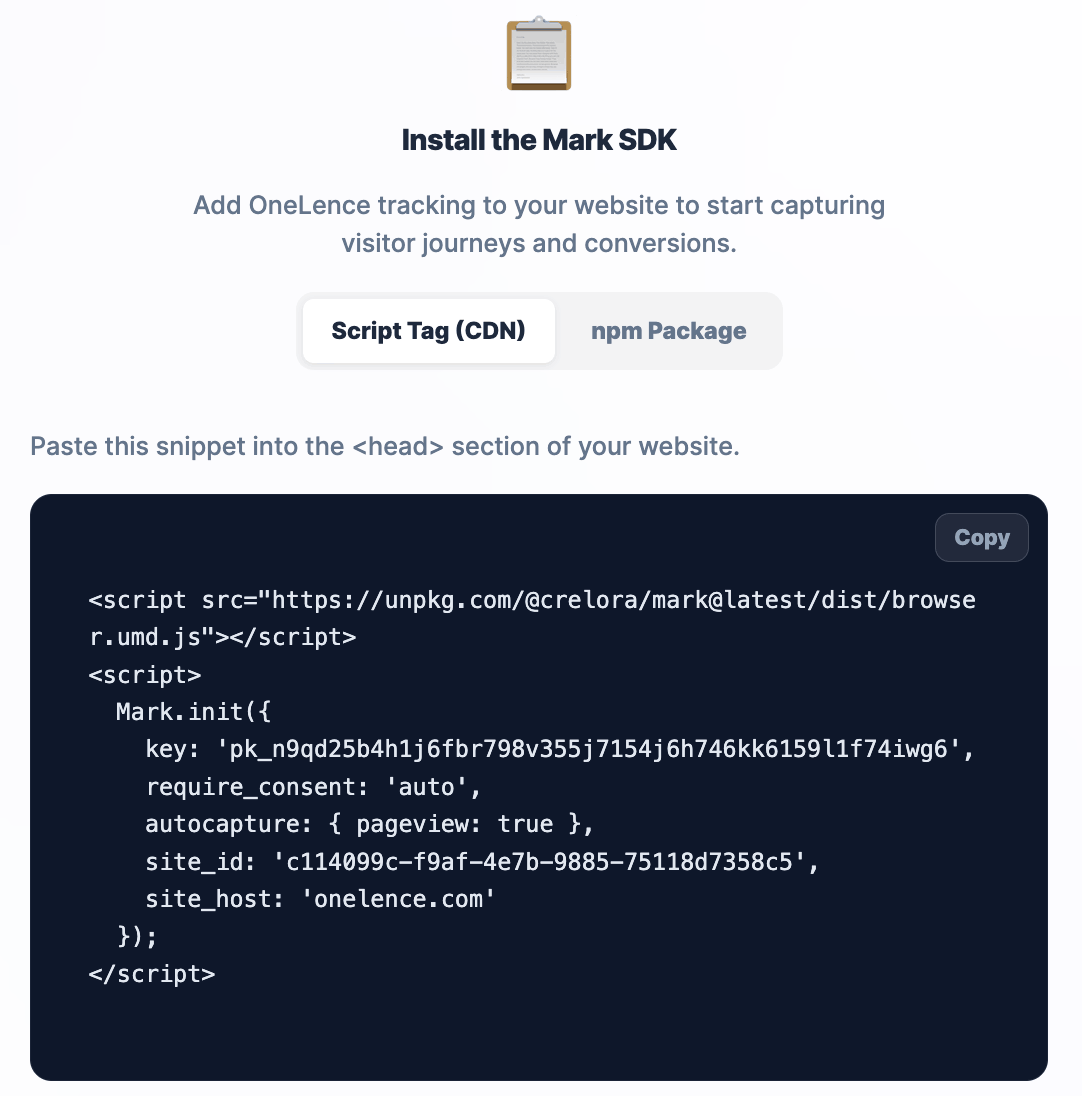 Recommended for marketing sites or storefronts built with platforms such as WordPress, Webflow, Canvas, or similar tools.
Base tracking can usually be enabled by adding a global tracking snippet through the platform’s site-wide custom code settings.
Developer setup (Package Installation)
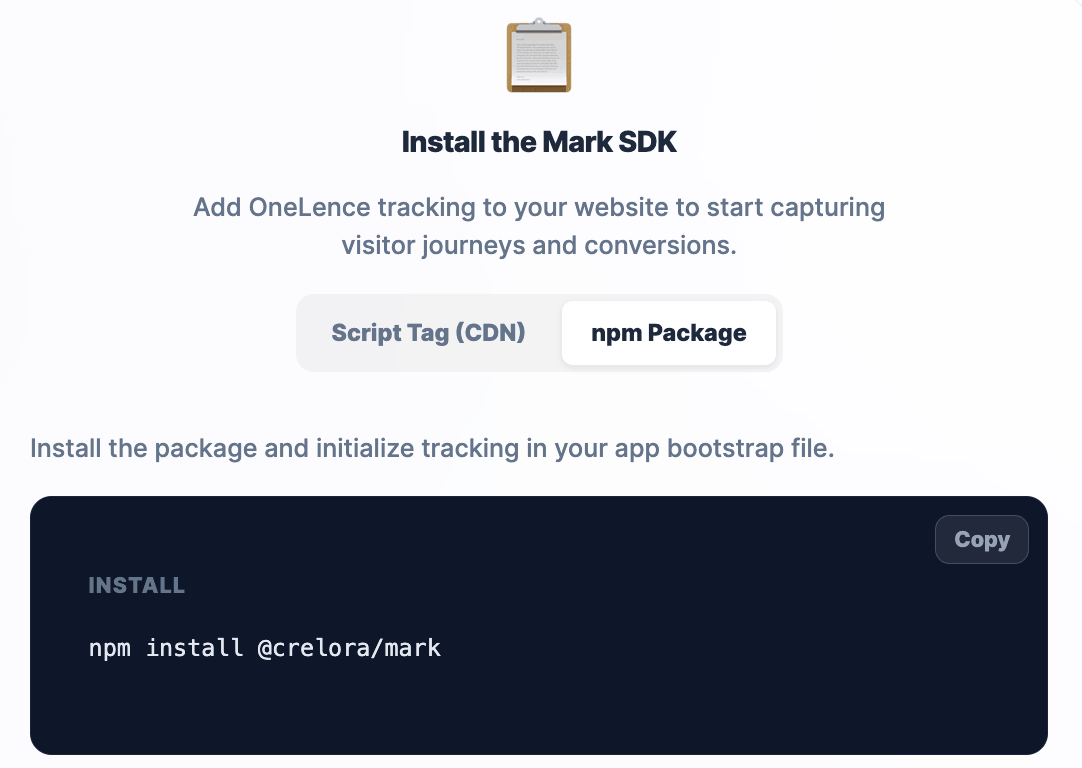
Recommended for SaaS products, custom web applications, and teams with engineering support.
Tracking is added directly via the OneLence SDK or script integration, allowing flexible event tracking and deeper attribution control.
Choose the path that best matches how your site is built.