
Create Your Tracking Workspace
Before installing tracking, you must register the primary website or product you want to measure.
Why this matters
OneLence organizes all tracking signals by workspace. Choosing the correct primary site ensures:
- accurate attribution modelling
- cleaner campaign intelligence
- better AI decision signals
Note: Choose the website with the highest marketing traffic or revenue priority. You can add additional sites later from the workspace settings.
Steps
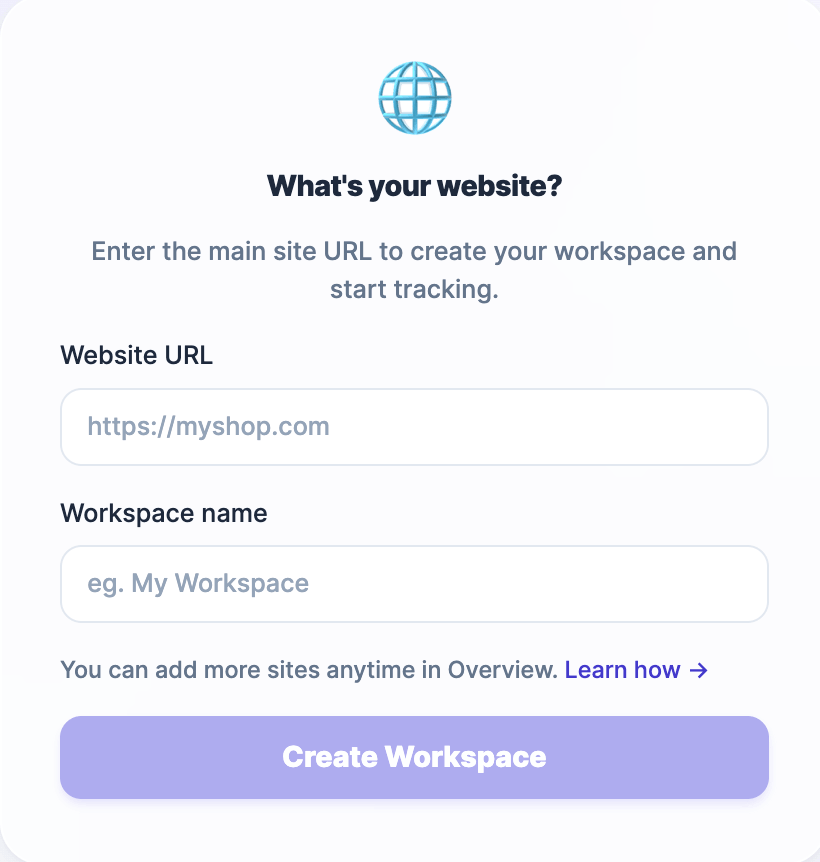
- Enter your main website URL.
- Provide a recognizable workspace name (optional). This can be edited anytime in the platform.
- Click on "Create Workspace".
After creation, your tracking environment and credentials (API keys) are automatically prepared.
Choose Your Plan
To start receiving decision intelligence insights, you must activate a plan.
OneLence uses secure Stripe billing infrastructure to manage subscriptions and usage limits.
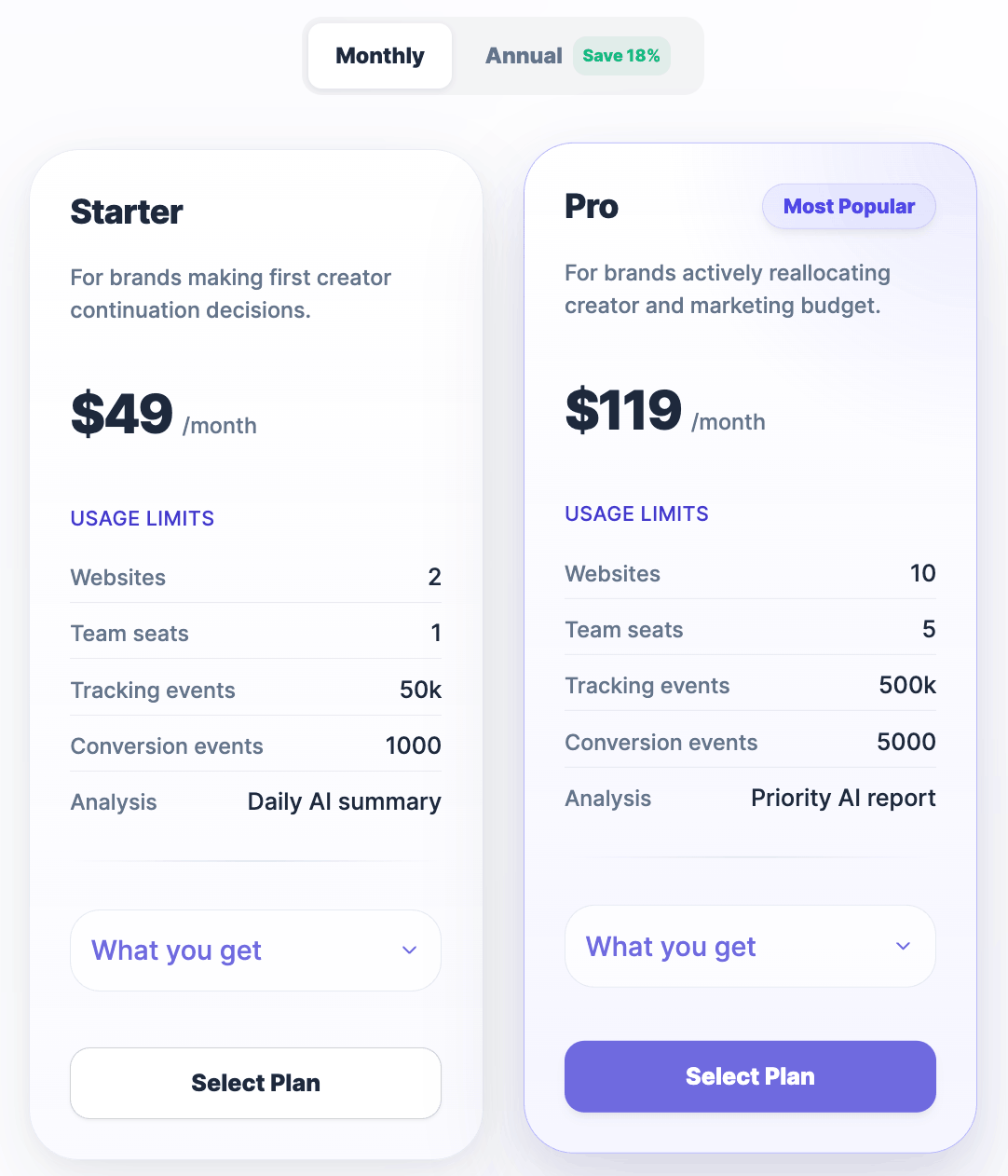
What happens at this step
- Select the plan that matches your tracking scale.
- Confirm billing details via Stripe.
- Your 7-day free trial starts immediately. No charges are applied during the trial period.
- You can upgrade, downgrade, or cancel at any time.
Note: Plan activation enables event processing capacity and AI insight generation.
Choose Your Tracking Method
OneLence supports multiple tracking integration paths depending on your technical setup.
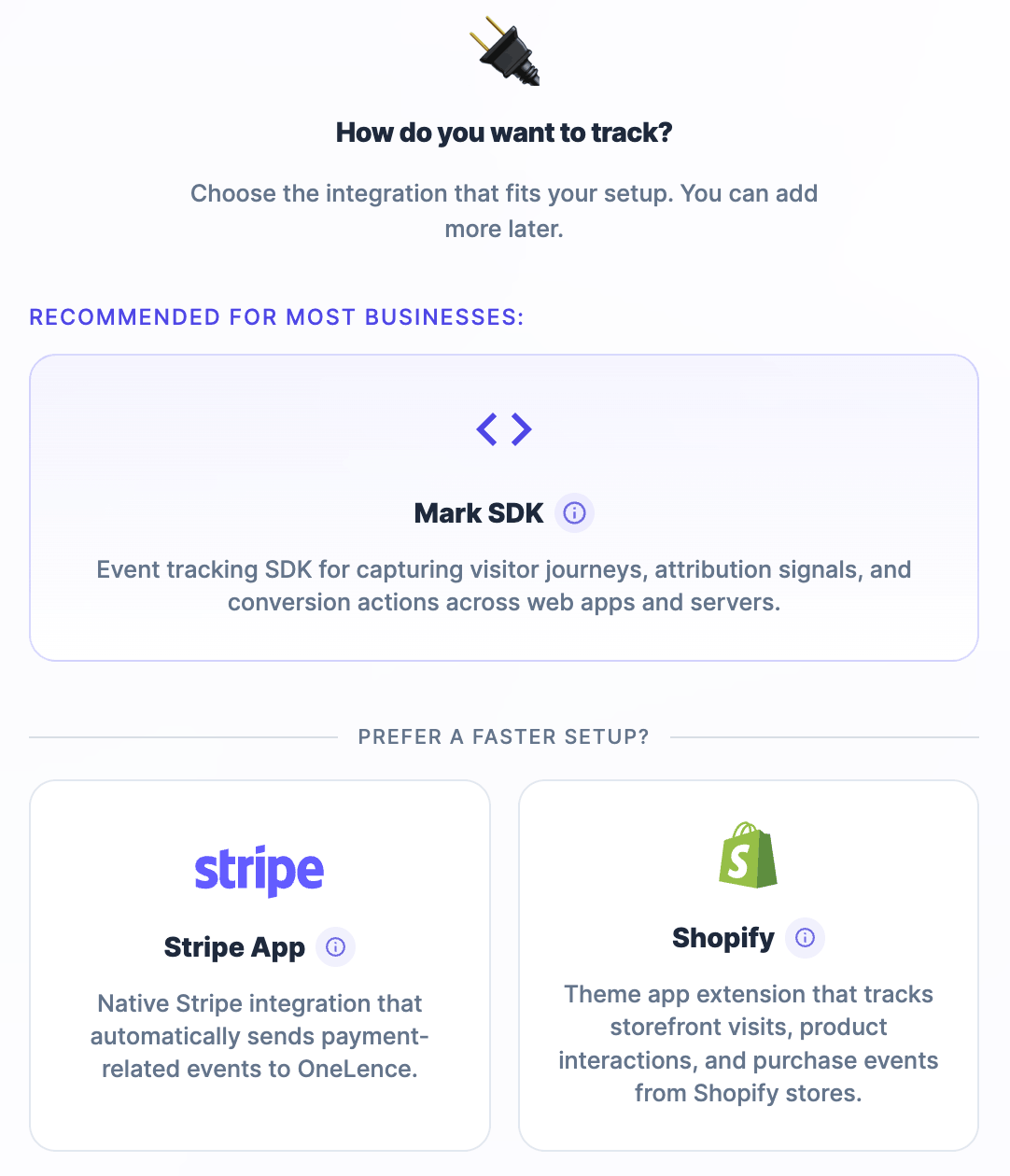
Recommended: Mark SDK
Use the Mark SDK if you:
- run a SaaS product or marketing website
- want full control over event tracking
- need attribution-grade marketing intelligence
- plan to track both visitor behaviour and backend conversions
This method provides the most complete signal coverage. There are 2 different approaches to setup the SDK. See which approach fits your case →
Faster Setup Options
These integrations provide simplified activation but with more limited tracking depth.
You can always install the Mark SDK later to unlock deeper journey intelligence.
1. WordPress Integration
Use the WordPress integration if:
- your site runs on WordPress
- you want to connect your site through the OneLence Connect plugin
- you prefer a WordPress-native setup instead of placing a tracking snippet manually
- you want access to optional WooCommerce, business event, and privacy coverage controls inside the plugin
WordPress setup is now plugin-based and should usually be the first choice for WordPress users. Set up WordPress via OneLence Connect →
2. Stripe Integration
Use the Stripe integration if:
- your business relies primarily on Stripe checkout
- you want immediate visibility into revenue-related conversion events
- you prefer minimal technical setup
This integration automatically sends payment lifecycle signals to OneLence. Tracking depth is more limited compared to SDK-based tracking. Integrate via Stripe →
3. Shopify Integration
Use the Shopify integration if:
- your business operates mainly through a Shopify storefront
- you want plug-and-play visit and purchase tracking
- you do not have engineering resources available
This integration captures:
- storefront visits
- product interactions
- purchase events
Automatically sends user events to OneLence. Integrate via Shopify →